You have just finished modeling a stunning 3D asset. The geometry is clean, the textures are perfect, and the lighting looks incredible inside your software. Then comes the question that trips up almost every beginner, and even plenty of experienced artists:
Which file format do I export this in?
Pick the wrong one and you lose your textures. Pick another and your animations vanish. Pick a third and the file opens fine but the scale is completely wrong. It is one of the most frustrating and underexplained parts of working with 3D assets.
This guide fixes that. We will cover every major 3D file format in plain language, what each one is, what it is good at, what it is terrible at, and exactly when you should use it.
Unlike images, where JPEG and PNG cover 90% of use cases, 3D assets are genuinely complex objects. A single 3D asset can contain geometry, UV maps, textures, materials, rigs, animations, blend shapes, lighting data, scene hierarchies, and custom metadata. No single file format handles all of these equally well.
Different industries evolved different standards. Game developers needed small, fast-loading formats optimised for real-time rendering. Film studios needed formats that could handle massive scenes with millions of polygons. Web developers needed lightweight formats that stream efficiently in a browser. The result is a fragmented landscape of formats, each built for a specific context.
Understanding this landscape does not just prevent headaches, it makes you a faster, more professional artist or developer. Let us go through every format worth knowing.
FBX (Filmbox) - The Industry Workhorse
Extension: .fbx Developed by: Autodesk Open standard: No (proprietary)
FBX is the most widely used interchange format in the 3D industry. Originally developed by a company called Kaydara and later acquired by Autodesk, FBX was designed to transfer assets between different 3D applications without losing critical data.
What FBX supports:
Where FBX excels: FBX is the go-to format for game development. Both Unity and Unreal Engine treat FBX as their primary import format. If you are building a game and need to move assets between Blender, Maya, or 3DS Max and your game engine, FBX is almost always the right choice.
Where FBX falls short: Because it is proprietary, Autodesk controls the format spec. This has led to version compatibility issues, an FBX exported from Maya 2024 does not always import cleanly into older tools. Additionally, FBX does not natively support PBR material properties, which means textures sometimes need to be manually reassigned after import.
Best for: Game development, character export with rigs and animations, interoperability between Autodesk tools (Maya, 3DS Max, MotionBuilder).
OBJ (Wavefront Object) - The Universal Fallback
Extension: .obj (usually paired with .mtl for materials) Developed by: Wavefront Technologies Open standard: Yes
OBJ is one of the oldest 3D file formats still in widespread use. It was developed in the 1980s and has survived largely because of its simplicity and near-universal support. Almost every 3D application ever made can import and export OBJ.
What OBJ supports:
What OBJ does NOT support:
Animations
Rigs or skeletons
Scene hierarchy
PBR materials
Cameras or lights
Where OBJ excels: OBJ is the lowest-common-denominator format. When you need to move geometry between two applications that do not share a better common format, OBJ almost always works. It is also excellent for 3D printing, archiving, and sharing simple models with clients who may not have professional 3D software.
Where OBJ falls short: OBJ is a static format. There is no animation support whatsoever. Its material system is outdated and does not support modern PBR workflows, which means textures typically need to be manually reconnected after import. For anything more complex than a static mesh, OBJ is the wrong tool.
Best for: Simple static meshes, maximum compatibility, 3D printing, sharing models with non-technical clients.
Extension: .gltf (with external assets) or .glb (single self-contained file) Developed by: Khronos Group Open standard: Yes
GLTF is the newest major format on this list and arguably the most important one for the future of 3D. Developed by the Khronos Group (the same organisation behind OpenGL and Vulkan), GLTF was explicitly designed for the modern era, real-time applications, web delivery, AR, and VR.
It is sometimes called the "JPEG of 3D" because it strikes an ideal balance between file size, quality, and universal support.
What GLTF supports:
Geometry
PBR materials (natively)
Textures embedded or externally referenced
Animations
Rigs and blend shapes
Scene hierarchy
Camera and light definitions
Extensions for advanced features (KHR extensions)
The difference between GLTF and GLB: A .gltf file stores the scene description in a human-readable JSON file, with textures and geometry in separate external files. A .glb file packages everything into a single binary file. GLB is almost always preferable for distribution, one file, no broken references.
Where GLTF excels: GLTF is the dominant format for anything web-based or real-time. It is used in web 3D viewers (Three.js, Babylon.js), AR experiences (Apple Reality Composer, Google ARCore), and real-time product visualisation tools. Its native PBR support means materials transfer accurately across platforms.
Where GLTF falls short: GLTF is not ideal for very complex VFX scenes or highly detailed film-quality assets. Its animation system, while solid, is less flexible than the animation rigs that Maya or Houdini produce natively.
Best for: Web 3D, AR/VR, real-time product visualisation, metaverse assets, progressive file delivery, anything browser-based.
USD / USDZ (Universal Scene Description) - The Film & VFX Standard
Extension: .usd, .usda (ASCII), .usdc (binary), .usdz (packaged) Developed by: Pixar Animation Studios Open standard: Yes (open-sourced by Pixar in 2016)
USD was created by Pixar to solve a specific problem: how do you manage extraordinarily complex scenes, with hundreds of millions of polygons, thousands of assets, and entire teams working simultaneously, without everything falling apart?
The answer was a non-destructive, layered scene description format where multiple artists can work on different aspects of a scene simultaneously, with changes layered on top of each other without overwriting original data.
What USD supports:
Geometry, materials, and textures
Complex scene hierarchies
Non-destructive layering and overrides
Animations and rigs
Physics simulation data
Procedural content descriptions
Full VFX pipeline integration
USDZ - Apple's consumer format: Apple adopted USDZ (the packaged version of USD) as the standard format for AR Quick Look on iOS and macOS. This means you can view a USDZ file on any modern iPhone by simply tapping a link, no app required. For ecommerce and product visualisation, USDZ has become extremely important.
Where USD excels: USD is the gold standard for film, animation, and large-scale VFX pipelines. Studios like Pixar, ILM, and Weta Digital build their entire production pipeline around it. It is also increasingly supported in Blender, Maya, Houdini, and Unreal Engine.
Where USD falls short: USD has a steep learning curve. Its layering and composition system, while powerful, is conceptually complex. For small projects or individual artists, it is often overkill.
Best for: Film and VFX pipelines, animation studios, complex multi-artist scenes, Apple AR experiences (USDZ), large game studio pipelines.
Extension: .blend Developed by: Blender Foundation Open standard: Yes
The .blend format is Blender's native project file. It stores absolutely everything - geometry, materials, textures, rigs, animations, scene settings, render configurations, compositor nodes, and even Python scripts.
Best for: Working exclusively within Blender. Not recommended for exchanging assets with other applications, as .blend support outside Blender is limited.
Extension: .dae Developed by: Khronos Group Open standard: Yes
COLLADA was the Khronos Group's first attempt at a universal interchange format, designed to transfer assets between DCC tools and game engines. It was widely used throughout the 2000s and early 2010s.
Today, COLLADA has been largely superseded by GLTF for most use cases. However, it still appears in some older pipelines and tools. If you encounter a .dae file, it is the legacy predecessor to GLTF.
Best for: Legacy pipelines and older tools that do not yet support GLTF.
Extension: .abc Developed by: Industrial Light & Magic and Sony Pictures Imageworks Open standard: Yes
Alembic is not a general-purpose asset format, it is a specialised format for baking and transferring simulation and animation data between applications. When a VFX artist runs a fluid simulation, cloth simulation, or crowd simulation in Houdini, they export the result as an Alembic cache and import it into Maya or Nuke for compositing.
Best for: VFX simulation caches, transferring complex animation data between DCC tools, crowd simulations, cloth and fluid sims.
STL (Stereolithography) - The 3D Printing Standard
Extension: .stl Developed by: 3D Systems Open standard: Effectively yes (widely adopted)
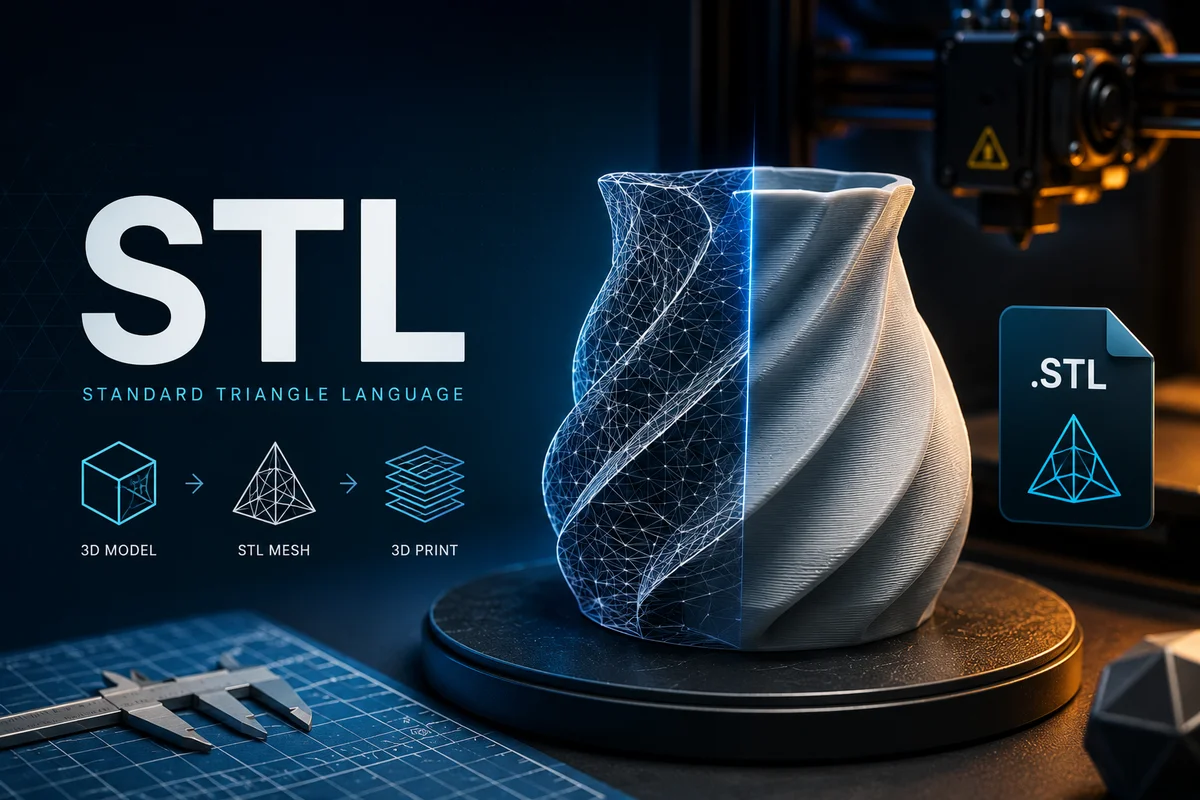
STL is the standard format for 3D printing. It describes only the surface geometry of an object, no materials, no textures, no animations. Just the shape. When you send a model to a 3D printer or a printing service, they almost always want an STL file.
Best for: 3D printing exclusively. Not useful for rendering, games, or any visual application.
Use Case | Recommended Format | Why |
|---|
Game development (Unity/Unreal) | FBX | Widest engine support, handles rigs + animations |
Web 3D and AR/VR | GLTF / GLB | Lightweight, PBR-native, browser-ready |
Film and VFX pipelines | USD / ABC | Industry standard, handles complex scenes |
Apple AR experiences | USDZ | Required for iOS AR Quick Look |
Simple static mesh sharing | OBJ | Universal compatibility |
Blender-only projects | BLEND | Full Blender data preservation |
Simulation and FX caches | ABC (Alembic) | Built for simulation data transfer |
3D printing | STL | Industry standard for print |
Maximum compatibility (unknown target) | FBX + OBJ | Belt-and-suspenders approach |
Software Compatibility Matrix
Format | Blender | Maya | 3DS Max | Houdini | Cinema4D | Unity | Unreal |
|---|
FBX | ✅ | ✅ | ✅ | ✅ | ✅ | ✅ | ✅ |
OBJ | ✅ | ✅ | ✅ | ✅ | ✅ | ✅ | ✅ |
GLTF/GLB | ✅ | ✅* | ✅* | ✅ | ✅ | ✅* | ✅ |
USD | ✅ | ✅ | ✅* | ✅ | ✅* | ❌ | ✅ |
BLEND | ✅ | ❌ | ❌ | ❌ | ❌ | ❌ | ❌ |
ABC | ✅ | ✅ | ✅ | ✅ | ✅ | ❌ | ✅ |
STL | ✅ | ✅ | ✅ | ✅ | ✅ | ❌ | ❌ |
*Via plugin or importer — not natively built-in on all versions.
Here is the dirty secret of 3D file formats: even when a format is technically supported by two applications, the import is often imperfect.
Textures go missing. Materials need to be manually reconnected. Scale comes in wrong. Rigs lose their weight painting. Animations break. This is not a bug, it is the nature of the format landscape. Every application stores data slightly differently internally, and the translation is lossy.
This is one of the biggest hidden productivity drains in any 3D workflow. A professional artist working across multiple tools can easily spend 30–60 minutes per asset just wrestling with import issues, reconnecting textures, fixing scale, reassigning materials.
It is exactly the problem that native bridge plugins solve. Instead of manually downloading an asset in a specific format, importing it, fixing the materials, and adjusting the scale, a bridge plugin handles all of that automatically. The asset arrives in your scene correctly set up, with materials connected, at the right scale, ready to use.
At Korvix3D, every asset in the library is available through our bridge plugins for Blender, Maya, 3DS Max, Houdini, and Cinema4D. One click and the asset is in your scene, no format wrestling, no broken textures, no scale issues.
[Explore the Korvix3D Bridge Plugins →] https://www.korvix3d.com/download
1. Always keep your native file. Export to interchange formats for sharing, but always maintain the original .blend, .ma, or project file. Native files preserve data that interchange formats may lose.
2. When in doubt, export both FBX and OBJ. FBX for anything that might need animation or rigging later. OBJ as a universal fallback for static geometry. Two files takes two seconds and saves hours of headaches.
3. Check texture embedding options on export. Many formats (GLTF, FBX) give you the option to embed textures directly in the file or keep them external. Embedding creates a larger, self-contained file that is much easier to share. External textures are better for active projects where textures change frequently.
4. Standardise on real-world scale. Import scale mismatches are one of the most common causes of 3D asset headaches. Adopt a standard unit at the start of every project (typically 1 unit = 1 metre) and export/import with consistent scale settings.
5. Test imports before committing. Before integrating an asset into a complex scene, always do a test import into a clean file. This saves you from discovering format issues mid-project when reverting is painful.
Every asset on the Korvix3D platform is available in multiple formats - FBX, OBJ, and GLTF at minimum, with USD and format-specific variants available on premium assets. Creators can publish directly from Blender, Maya, Houdini, Cinema4D, or 3DS Max via the bridge plugin, which automatically handles format conversion and packaging.
Subscribers using the bridge plugin never need to think about formats at all, the plugin detects your active application and delivers the asset in the correct format automatically.
[See all supported software and formats →] https://www.korvix3d.com/download
[Start your free plan →] https://www.korvix3d.com/pricing
Frequently Asked Questions
What is the best 3D file format overall? There is no single best format, it depends on your use case. FBX is the best for game development. GLTF is the best for web and AR/VR. USD is the best for film and VFX. OBJ is the best for maximum compatibility with static meshes.
What is the difference between GLTF and GLB? GLTF is a JSON-based format that references external texture and geometry files. GLB is a binary version that packages everything into a single file. For most use cases, GLB is preferable because it is self-contained and easier to share.
Can I convert between 3D file formats? Yes. Most DCC tools (Blender, Maya, etc.) can import one format and export another. There are also dedicated conversion tools. However, some data loss is often unavoidable, animations may not transfer, materials may need reassignment, and complex rigs may degrade.
Why do my textures go missing when I import an FBX? FBX files reference textures externally by default. If the texture files are not in the expected path relative to the FBX file, they will appear missing. Either embed textures during export, or keep textures in the same folder as the FBX file.
What format should I use for Unreal Engine 5? FBX is the primary import format for UE5 meshes and animations. GLTF support was added in UE5 and is improving rapidly. For static meshes, both work well. For skeletal meshes with animations, FBX remains the more reliable choice.
What is USD and why is everyone talking about it? USD (Universal Scene Description) is a format developed by Pixar that is rapidly becoming the industry standard for large-scale 3D pipelines. Its non-destructive layering system allows complex multi-artist collaboration without data conflicts. Apple's adoption of USDZ for AR has brought it to consumer awareness as well.


You have just finished modeling a stunning 3D asset. The geometry is clean, the textures are perfect, and the lighting looks incredible inside your software. Then comes the question that trips up almost every beginner, and even plenty of experienced artists:
Which file format do I export this in?
Pick the wrong one and you lose your textures. Pick another and your animations vanish. Pick a third and the file opens fine but the scale is completely wrong. It is one of the most frustrating and underexplained parts of working with 3D assets.
This guide fixes that. We will cover every major 3D file format in plain language, what each one is, what it is good at, what it is terrible at, and exactly when you should use it.
Why 3D File Formats Are Complicated (And Why It Matters)
Unlike images, where JPEG and PNG cover 90% of use cases, 3D assets are genuinely complex objects. A single 3D asset can contain geometry, UV maps, textures, materials, rigs, animations, blend shapes, lighting data, scene hierarchies, and custom metadata. No single file format handles all of these equally well.
Different industries evolved different standards. Game developers needed small, fast-loading formats optimised for real-time rendering. Film studios needed formats that could handle massive scenes with millions of polygons. Web developers needed lightweight formats that stream efficiently in a browser. The result is a fragmented landscape of formats, each built for a specific context.
Understanding this landscape does not just prevent headaches, it makes you a faster, more professional artist or developer. Let us go through every format worth knowing.
The Major 3D Asset File Formats Explained
FBX (Filmbox) - The Industry Workhorse
Extension: .fbx Developed by: Autodesk Open standard: No (proprietary)
FBX is the most widely used interchange format in the 3D industry. Originally developed by a company called Kaydara and later acquired by Autodesk, FBX was designed to transfer assets between different 3D applications without losing critical data.
What FBX supports:
Geometry (meshes)
Materials and textures
UV maps
Rigs and skeletons
Animations and blend shapes
Scene hierarchy
Cameras and lights
Where FBX excels: FBX is the go-to format for game development. Both Unity and Unreal Engine treat FBX as their primary import format. If you are building a game and need to move assets between Blender, Maya, or 3DS Max and your game engine, FBX is almost always the right choice.
Where FBX falls short: Because it is proprietary, Autodesk controls the format spec. This has led to version compatibility issues, an FBX exported from Maya 2024 does not always import cleanly into older tools. Additionally, FBX does not natively support PBR material properties, which means textures sometimes need to be manually reassigned after import.
Best for: Game development, character export with rigs and animations, interoperability between Autodesk tools (Maya, 3DS Max, MotionBuilder).
OBJ (Wavefront Object) - The Universal Fallback
Extension: .obj (usually paired with .mtl for materials) Developed by: Wavefront Technologies Open standard: Yes
OBJ is one of the oldest 3D file formats still in widespread use. It was developed in the 1980s and has survived largely because of its simplicity and near-universal support. Almost every 3D application ever made can import and export OBJ.
What OBJ supports:
Geometry (meshes)
UV maps
Basic materials (via the companion .mtl file)
Multiple objects in a single file
What OBJ does NOT support:
Animations
Rigs or skeletons
Scene hierarchy
PBR materials
Cameras or lights
Where OBJ excels: OBJ is the lowest-common-denominator format. When you need to move geometry between two applications that do not share a better common format, OBJ almost always works. It is also excellent for 3D printing, archiving, and sharing simple models with clients who may not have professional 3D software.
Where OBJ falls short: OBJ is a static format. There is no animation support whatsoever. Its material system is outdated and does not support modern PBR workflows, which means textures typically need to be manually reconnected after import. For anything more complex than a static mesh, OBJ is the wrong tool.
Best for: Simple static meshes, maximum compatibility, 3D printing, sharing models with non-technical clients.
GLTF / GLB (GL Transmission Format) - The Future Standard
Extension: .gltf (with external assets) or .glb (single self-contained file) Developed by: Khronos Group Open standard: Yes
GLTF is the newest major format on this list and arguably the most important one for the future of 3D. Developed by the Khronos Group (the same organisation behind OpenGL and Vulkan), GLTF was explicitly designed for the modern era, real-time applications, web delivery, AR, and VR.
It is sometimes called the "JPEG of 3D" because it strikes an ideal balance between file size, quality, and universal support.
What GLTF supports:
Geometry
PBR materials (natively)
Textures embedded or externally referenced
Animations
Rigs and blend shapes
Scene hierarchy
Camera and light definitions
Extensions for advanced features (KHR extensions)
The difference between GLTF and GLB: A .gltf file stores the scene description in a human-readable JSON file, with textures and geometry in separate external files. A .glb file packages everything into a single binary file. GLB is almost always preferable for distribution, one file, no broken references.
Where GLTF excels: GLTF is the dominant format for anything web-based or real-time. It is used in web 3D viewers (Three.js, Babylon.js), AR experiences (Apple Reality Composer, Google ARCore), and real-time product visualisation tools. Its native PBR support means materials transfer accurately across platforms.
Where GLTF falls short: GLTF is not ideal for very complex VFX scenes or highly detailed film-quality assets. Its animation system, while solid, is less flexible than the animation rigs that Maya or Houdini produce natively.
Best for: Web 3D, AR/VR, real-time product visualisation, metaverse assets, progressive file delivery, anything browser-based.
USD / USDZ (Universal Scene Description) - The Film & VFX Standard
Extension: .usd, .usda (ASCII), .usdc (binary), .usdz (packaged) Developed by: Pixar Animation Studios Open standard: Yes (open-sourced by Pixar in 2016)
USD was created by Pixar to solve a specific problem: how do you manage extraordinarily complex scenes, with hundreds of millions of polygons, thousands of assets, and entire teams working simultaneously, without everything falling apart?
The answer was a non-destructive, layered scene description format where multiple artists can work on different aspects of a scene simultaneously, with changes layered on top of each other without overwriting original data.
What USD supports:
Geometry, materials, and textures
Complex scene hierarchies
Non-destructive layering and overrides
Animations and rigs
Physics simulation data
Procedural content descriptions
Full VFX pipeline integration
USDZ - Apple's consumer format: Apple adopted USDZ (the packaged version of USD) as the standard format for AR Quick Look on iOS and macOS. This means you can view a USDZ file on any modern iPhone by simply tapping a link, no app required. For ecommerce and product visualisation, USDZ has become extremely important.
Where USD excels: USD is the gold standard for film, animation, and large-scale VFX pipelines. Studios like Pixar, ILM, and Weta Digital build their entire production pipeline around it. It is also increasingly supported in Blender, Maya, Houdini, and Unreal Engine.
Where USD falls short: USD has a steep learning curve. Its layering and composition system, while powerful, is conceptually complex. For small projects or individual artists, it is often overkill.
Best for: Film and VFX pipelines, animation studios, complex multi-artist scenes, Apple AR experiences (USDZ), large game studio pipelines.
BLEND - Blender's Native Format
Extension: .blend Developed by: Blender Foundation Open standard: Yes
The .blend format is Blender's native project file. It stores absolutely everything - geometry, materials, textures, rigs, animations, scene settings, render configurations, compositor nodes, and even Python scripts.
Best for: Working exclusively within Blender. Not recommended for exchanging assets with other applications, as .blend support outside Blender is limited.
COLLADA (DAE) - The Ageing Bridge Format
Extension: .dae Developed by: Khronos Group Open standard: Yes
COLLADA was the Khronos Group's first attempt at a universal interchange format, designed to transfer assets between DCC tools and game engines. It was widely used throughout the 2000s and early 2010s.
Today, COLLADA has been largely superseded by GLTF for most use cases. However, it still appears in some older pipelines and tools. If you encounter a .dae file, it is the legacy predecessor to GLTF.
Best for: Legacy pipelines and older tools that do not yet support GLTF.
ABC (Alembic) - The Simulation Cache Format
Extension: .abc Developed by: Industrial Light & Magic and Sony Pictures Imageworks Open standard: Yes
Alembic is not a general-purpose asset format, it is a specialised format for baking and transferring simulation and animation data between applications. When a VFX artist runs a fluid simulation, cloth simulation, or crowd simulation in Houdini, they export the result as an Alembic cache and import it into Maya or Nuke for compositing.
Best for: VFX simulation caches, transferring complex animation data between DCC tools, crowd simulations, cloth and fluid sims.
STL (Stereolithography) - The 3D Printing Standard
Extension: .stl Developed by: 3D Systems Open standard: Effectively yes (widely adopted)
STL is the standard format for 3D printing. It describes only the surface geometry of an object, no materials, no textures, no animations. Just the shape. When you send a model to a 3D printer or a printing service, they almost always want an STL file.
Best for: 3D printing exclusively. Not useful for rendering, games, or any visual application.
Quick Comparison: Which Format Should You Use?
Use Case
Recommended Format
Why
Game development (Unity/Unreal)
FBX
Widest engine support, handles rigs + animations
Web 3D and AR/VR
GLTF / GLB
Lightweight, PBR-native, browser-ready
Film and VFX pipelines
USD / ABC
Industry standard, handles complex scenes
Apple AR experiences
USDZ
Required for iOS AR Quick Look
Simple static mesh sharing
OBJ
Universal compatibility
Blender-only projects
BLEND
Full Blender data preservation
Simulation and FX caches
ABC (Alembic)
Built for simulation data transfer
3D printing
STL
Industry standard for print
Maximum compatibility (unknown target)
FBX + OBJ
Belt-and-suspenders approach
Software Compatibility Matrix
Format
Blender
Maya
3DS Max
Houdini
Cinema4D
Unity
Unreal
FBX
✅
✅
✅
✅
✅
✅
✅
OBJ
✅
✅
✅
✅
✅
✅
✅
GLTF/GLB
✅
✅*
✅*
✅
✅
✅*
✅
USD
✅
✅
✅*
✅
✅*
❌
✅
BLEND
✅
❌
❌
❌
❌
❌
❌
ABC
✅
✅
✅
✅
✅
❌
✅
STL
✅
✅
✅
✅
✅
❌
❌
*Via plugin or importer — not natively built-in on all versions.
The Format Problem No One Talks About - And How to Solve It
Here is the dirty secret of 3D file formats: even when a format is technically supported by two applications, the import is often imperfect.
Textures go missing. Materials need to be manually reconnected. Scale comes in wrong. Rigs lose their weight painting. Animations break. This is not a bug, it is the nature of the format landscape. Every application stores data slightly differently internally, and the translation is lossy.
This is one of the biggest hidden productivity drains in any 3D workflow. A professional artist working across multiple tools can easily spend 30–60 minutes per asset just wrestling with import issues, reconnecting textures, fixing scale, reassigning materials.
It is exactly the problem that native bridge plugins solve. Instead of manually downloading an asset in a specific format, importing it, fixing the materials, and adjusting the scale, a bridge plugin handles all of that automatically. The asset arrives in your scene correctly set up, with materials connected, at the right scale, ready to use.
At Korvix3D, every asset in the library is available through our bridge plugins for Blender, Maya, 3DS Max, Houdini, and Cinema4D. One click and the asset is in your scene, no format wrestling, no broken textures, no scale issues.
[Explore the Korvix3D Bridge Plugins →] https://www.korvix3d.com/download
Pro Tips: Working With 3D File Formats
1. Always keep your native file. Export to interchange formats for sharing, but always maintain the original .blend, .ma, or project file. Native files preserve data that interchange formats may lose.
2. When in doubt, export both FBX and OBJ. FBX for anything that might need animation or rigging later. OBJ as a universal fallback for static geometry. Two files takes two seconds and saves hours of headaches.
3. Check texture embedding options on export. Many formats (GLTF, FBX) give you the option to embed textures directly in the file or keep them external. Embedding creates a larger, self-contained file that is much easier to share. External textures are better for active projects where textures change frequently.
4. Standardise on real-world scale. Import scale mismatches are one of the most common causes of 3D asset headaches. Adopt a standard unit at the start of every project (typically 1 unit = 1 metre) and export/import with consistent scale settings.
5. Test imports before committing. Before integrating an asset into a complex scene, always do a test import into a clean file. This saves you from discovering format issues mid-project when reverting is painful.
What Format Does Korvix3D Use?
Every asset on the Korvix3D platform is available in multiple formats - FBX, OBJ, and GLTF at minimum, with USD and format-specific variants available on premium assets. Creators can publish directly from Blender, Maya, Houdini, Cinema4D, or 3DS Max via the bridge plugin, which automatically handles format conversion and packaging.
Subscribers using the bridge plugin never need to think about formats at all, the plugin detects your active application and delivers the asset in the correct format automatically.
[See all supported software and formats →] https://www.korvix3d.com/download
[Start your free plan →] https://www.korvix3d.com/pricing
Frequently Asked Questions
What is the best 3D file format overall? There is no single best format, it depends on your use case. FBX is the best for game development. GLTF is the best for web and AR/VR. USD is the best for film and VFX. OBJ is the best for maximum compatibility with static meshes.
What is the difference between GLTF and GLB? GLTF is a JSON-based format that references external texture and geometry files. GLB is a binary version that packages everything into a single file. For most use cases, GLB is preferable because it is self-contained and easier to share.
Can I convert between 3D file formats? Yes. Most DCC tools (Blender, Maya, etc.) can import one format and export another. There are also dedicated conversion tools. However, some data loss is often unavoidable, animations may not transfer, materials may need reassignment, and complex rigs may degrade.
Why do my textures go missing when I import an FBX? FBX files reference textures externally by default. If the texture files are not in the expected path relative to the FBX file, they will appear missing. Either embed textures during export, or keep textures in the same folder as the FBX file.
What format should I use for Unreal Engine 5? FBX is the primary import format for UE5 meshes and animations. GLTF support was added in UE5 and is improving rapidly. For static meshes, both work well. For skeletal meshes with animations, FBX remains the more reliable choice.
What is USD and why is everyone talking about it? USD (Universal Scene Description) is a format developed by Pixar that is rapidly becoming the industry standard for large-scale 3D pipelines. Its non-destructive layering system allows complex multi-artist collaboration without data conflicts. Apple's adoption of USDZ for AR has brought it to consumer awareness as well.