If you have ever played a video game, watched an animated film, used an AR filter, or scrolled through a product page on an ecommerce site, you have already experienced 3D assets. They are the invisible backbone of almost every visual medium that exists today.
But if you are just starting out as a 3D artist, a game developer, or someone exploring the world of digital creation, the term "3D asset" can feel vague. What exactly counts as a 3D asset? How are they made? Where do they come from? And how do real professionals use them in their work?
This guide answers all of that, from the ground up.
What Is a 3D Asset?
A 3D asset is any digital object that has been modeled in three-dimensional space and can be used inside a 3D application, game engine, film pipeline, or real time experience.
Think of it as a digital prop. Just like a film set uses physical furniture, cars, trees, and buildings as props, a 3D scene uses 3D assets to fill the world being created.
A 3D asset can be as simple as a coffee cup or as complex as a fully rigged, animated humanoid character. It can be a rock, a spaceship, a building facade, a tree, a piece of furniture, a weapon, a medical device, or even an abstract shape used in a motion graphics render.
What makes something a 3D asset, rather than just a 3D model, is that it is packaged and ready to use. A 3D asset typically includes:
The geometry (the 3D mesh itself)
Textures and materials (the surface appearance)
UV maps (how textures are applied to the surface)
Sometimes rigs, animations, LODs, or metadata
When all of these are properly prepared and packaged together, the result is a 3D asset, something a developer or artist can drop into their project and use immediately.
Why 3D Assets Matter
The global demand for 3D assets has exploded over the last decade, driven by the growth of several industries at once:
Game development - Every game needs hundreds to thousands of assets.
Film and VFX - CGI in movies depends entirely on high-quality 3D assets.
Architectural visualization - Architects and interior designers use 3D assets to create photorealistic renders before a building is ever built.
AR and VR - Immersive experiences require real-time 3D environments filled with assets.
Ecommerce and product visualization - Brands increasingly use 3D product renders instead of physical photoshoots.
Motion design - Designers use 3D assets in animated graphics, explainer videos, and brand content.
Metaverse and virtual worlds - Entire digital cities are built from libraries of 3D assets.
The result is a massive, growing ecosystem, and a huge demand for both creators who can make quality 3D assets, and platforms that make them accessible to the people who need them.
Types of 3D Assets
Not all 3D assets are the same. They differ in purpose, complexity, and how they are used inside a pipeline. Here are the major categories:
1. Static Meshes
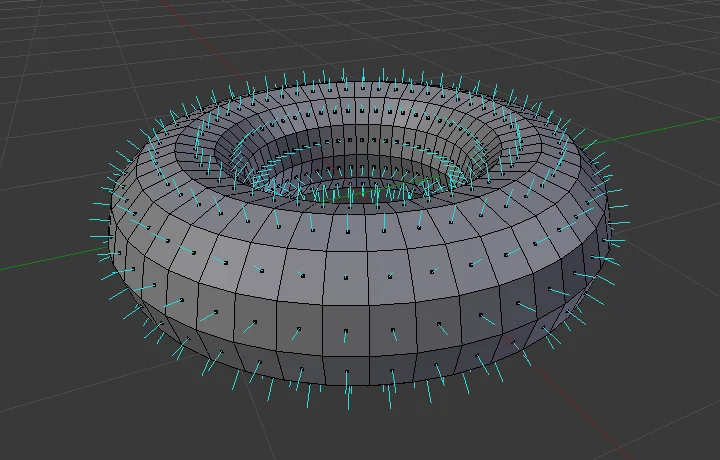
Static meshes are non-animated 3D objects. They have geometry, textures, and materials, but they do not move.
Examples: rocks, furniture, buildings, trees, vehicles (when used as set dressing), weapons (when not in use).
Static meshes are the most common type of 3D asset and are used in virtually every 3D application.
2. Rigged Models
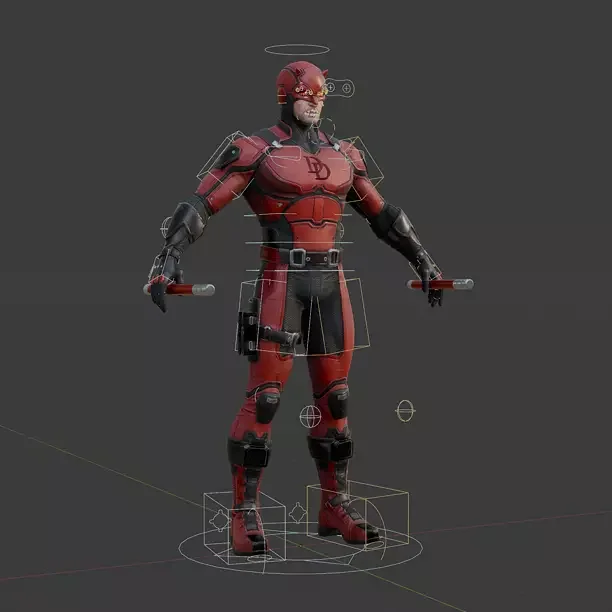
A rigged model is a 3D mesh that has a skeleton (armature) built into it. This skeleton allows the model to be posed and animated.
Examples: characters, creatures, mechanical systems with moving parts.
Rigging adds significant complexity and value to a 3D asset. A well-rigged character can save weeks of work for an animator.
3. Animated Assets
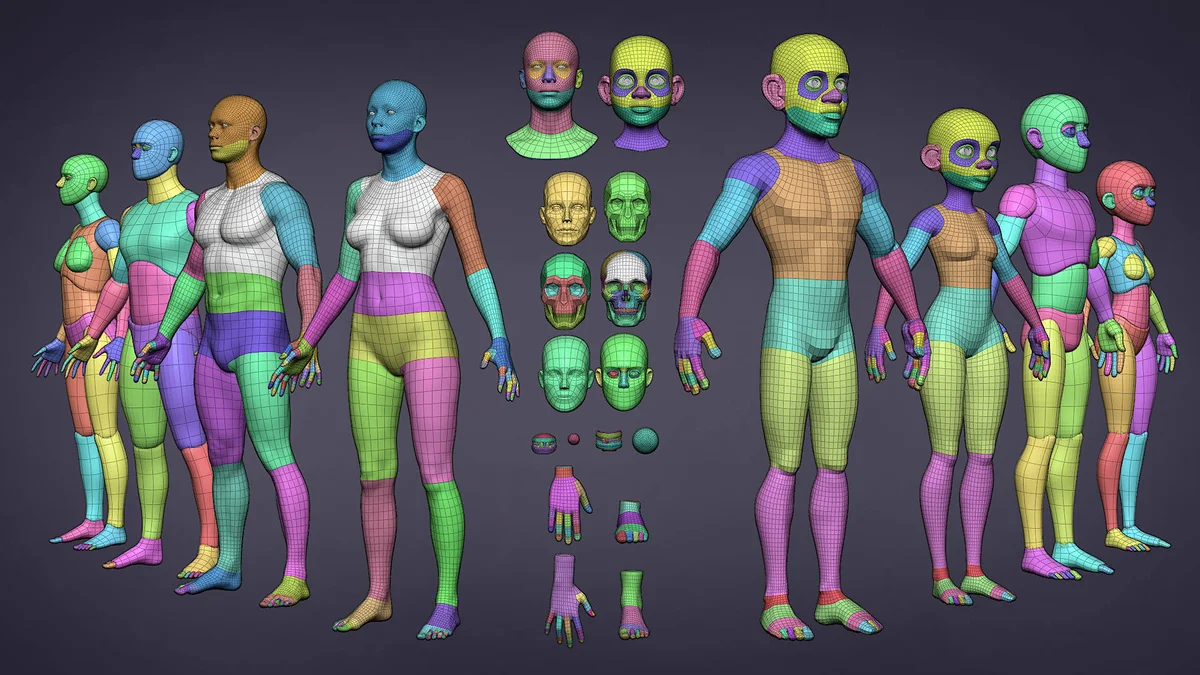
Animated assets include pre-built animations baked into the asset. These are common in game development, where assets may need walk cycles, attack animations, or idle loops.
Examples: characters with locomotion sets, animated water surfaces, looping machinery, particle effects.
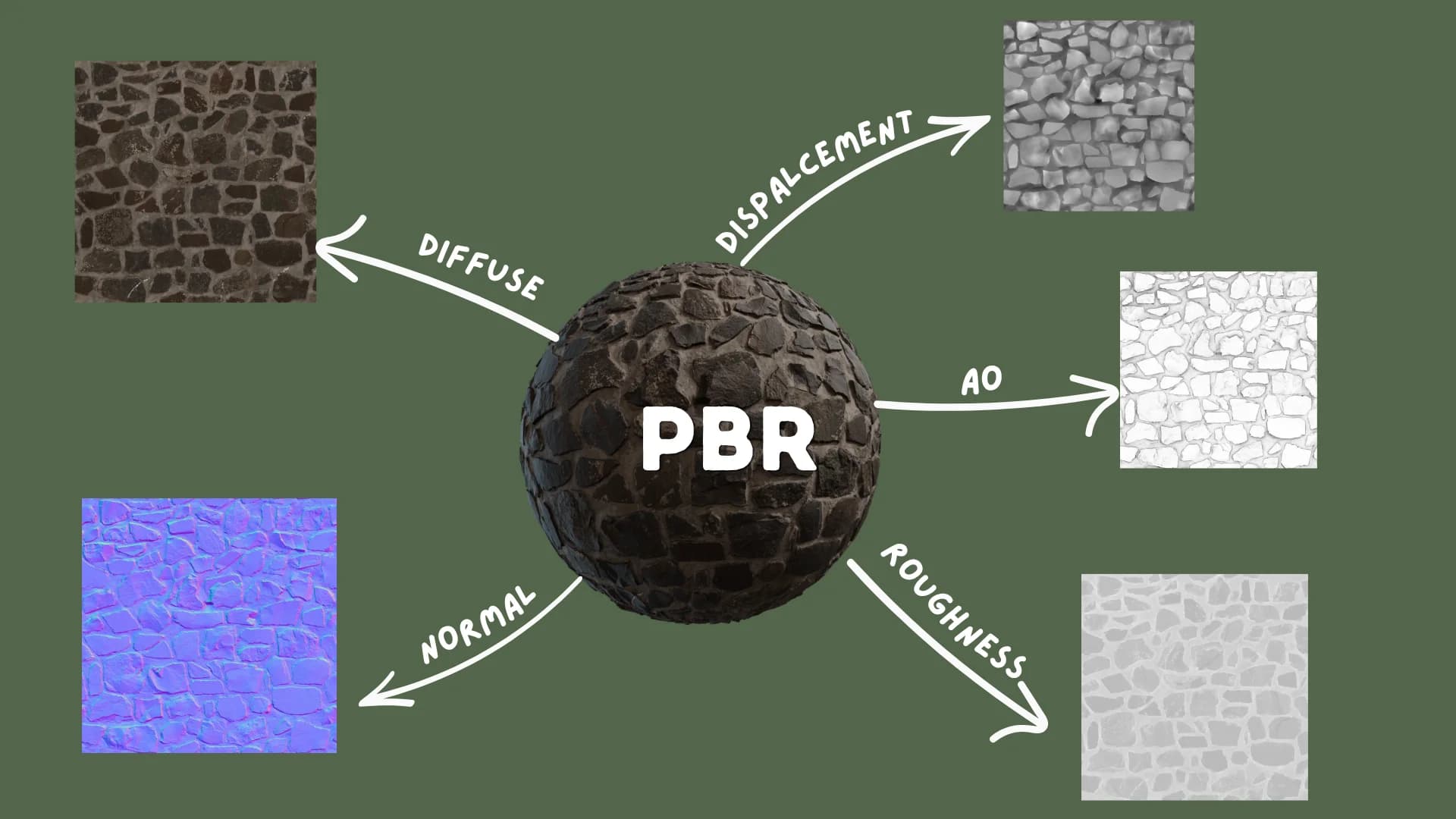
4. Textures and Materials
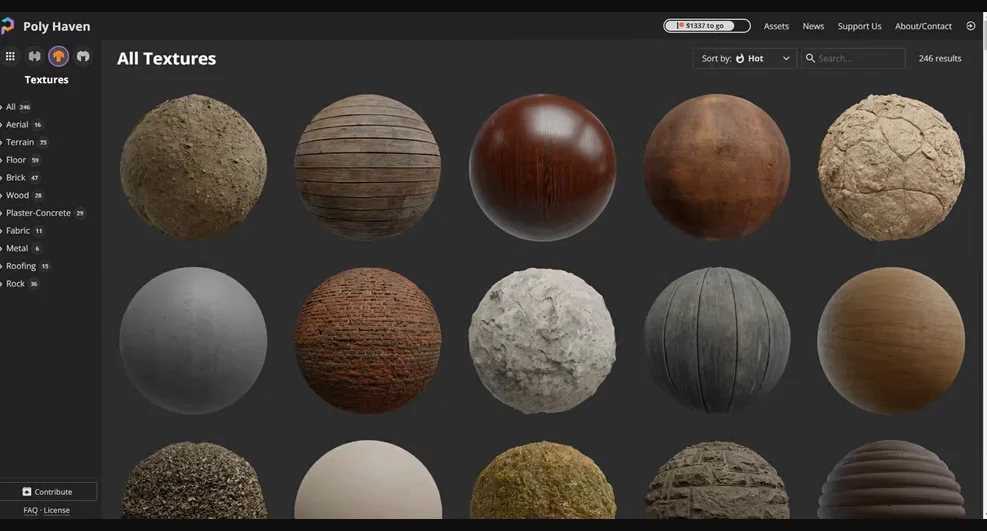
Textures and materials are technically a subcategory of asset, but they are important enough to call out separately. These include:
Albedo/Diffuse maps - The base color of a surface.
Normal maps - Simulate fine surface detail without adding geometry.
Roughness/Metallic maps - Define how a surface interacts with light.
Ambient Occlusion maps - Simulate soft shadows in crevices.
Height/Displacement maps - Add actual geometric depth to surfaces.
Most modern 3D assets use PBR (Physically Based Rendering) textures, which means they are designed to behave realistically under any lighting condition.
5. HDRIs and Environment Assets
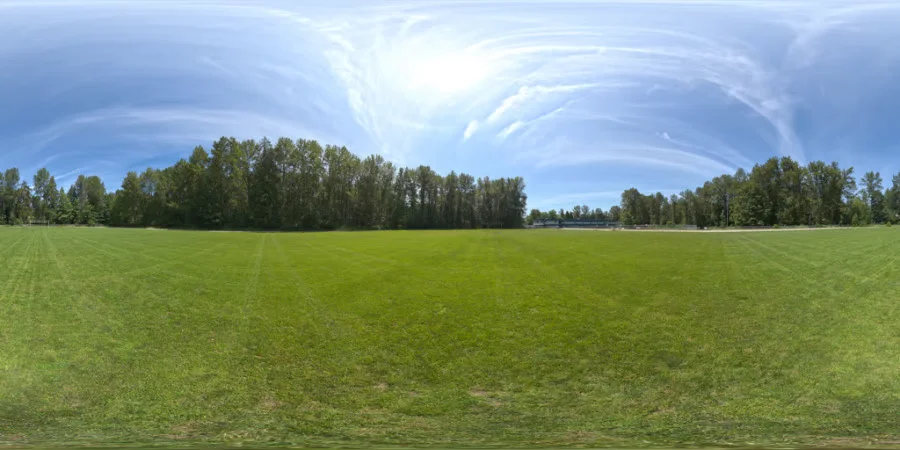
HDRI (High Dynamic Range Image) assets are panoramic images used to light 3D scenes realistically. Environment assets also include terrain, skyboxes, atmospheric effects, and background plates.
6. VFX and Particle Assets
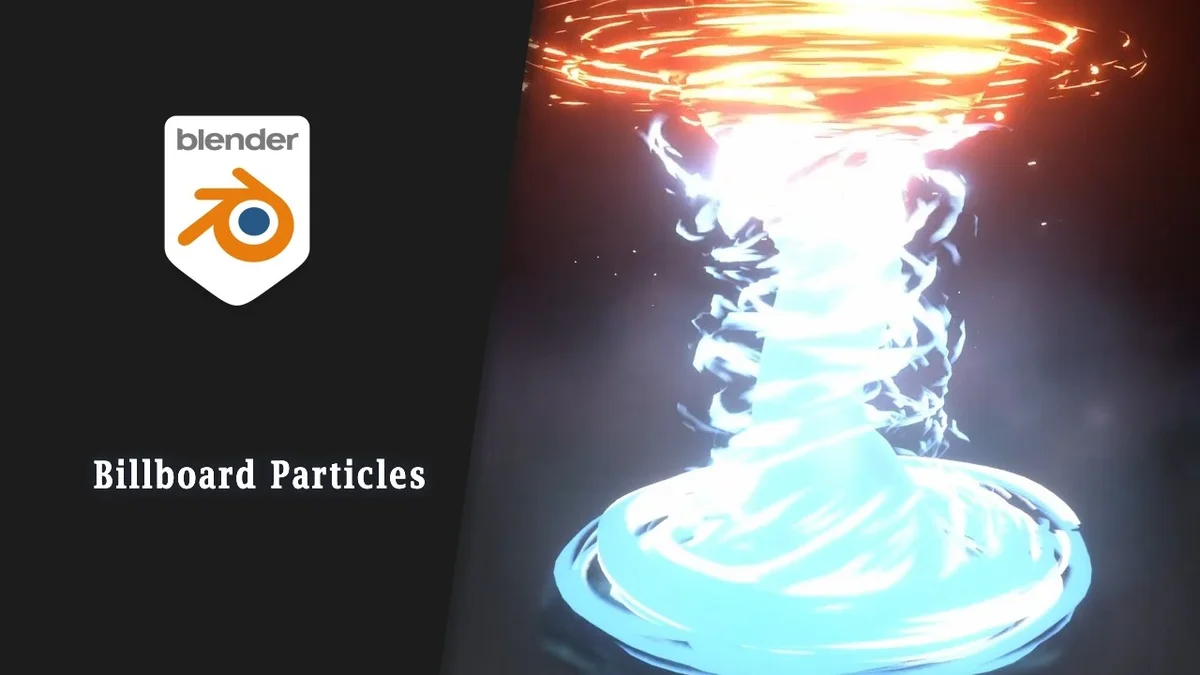
These include pre-built visual effects such as fire, smoke, explosions, water simulations, and magic effects. They are heavily used in game development and film VFX pipelines.
7. Kitbash Sets

Kitbash sets are collections of modular 3D pieces designed to be mixed, matched, and combined into larger structures. A sci-fi kitbash set, for example, might include dozens of panels, vents, pipes, and greebles that artists can assemble into spaceships, buildings, or robots.
Kitbash sets are popular in concept art, film, and game pre-production.
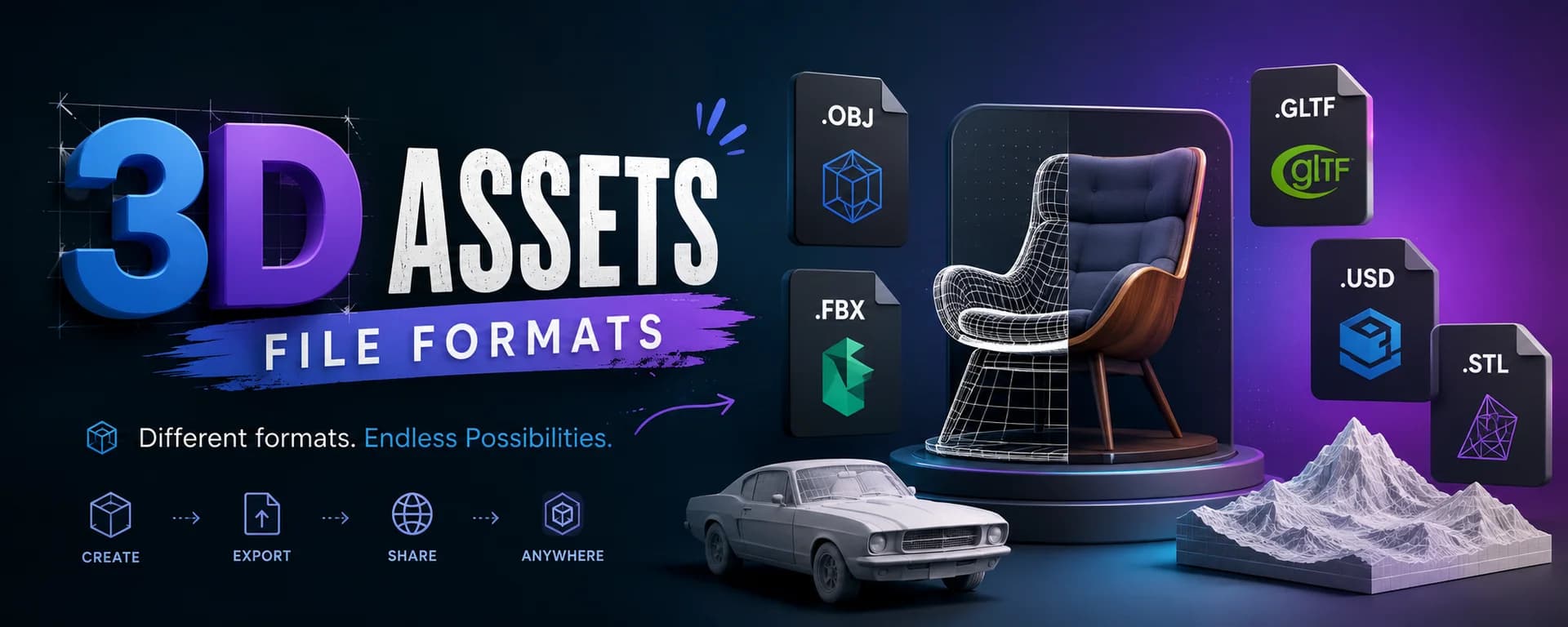
One of the first questions beginners run into is: why are there so many different file formats? The short answer is that different applications, game engines, and pipelines have different requirements.
Here is a quick overview of the most important formats:
Format | Full Name | Best Used For |
|---|
FBX | Filmbox | Game engines, interoperability |
OBJ | Wavefront Object | Simple models, wide compatibility |
GLTF | GL Transmission Format | Real-time, web, AR/VR |
USD | Universal Scene Description | Film/VFX, Pixar standard |
BLEND | Blender native format | Blender projects |
MA/MB | Maya ASCII / Binary | Autodesk Maya projects |
MAX | 3DS Max native | Autodesk 3DS Max projects |
ABC | Alembic | VFX, simulation caches |
STL | Stereolithography | 3D printing |
FBX is the most widely used format for game development due to its compatibility with Unity and Unreal Engine. GLTF is increasingly becoming the standard for web-based and real-time applications. USD is gaining rapid adoption in the film and VFX industry thanks to its ability to handle complex scene hierarchies.
When sourcing 3D assets, always check which formats are available and whether they match the software or engine you are working in.
How 3D Assets Are Made
3D assets are created using specialized software called DCC tools, Digital Content Creation tools. The major ones include:
Blender - Free, open-source, and the most popular tool among independent artists and students.
Autodesk Maya - Industry standard for film, animation, and character rigging.
Autodesk 3DS Max - Widely used in architectural visualization and game asset production.
Houdini - The leading tool for procedural generation and VFX simulation.
Cinema4D - Popular in motion design and broadcast graphics.
ZBrush - Used for high-resolution sculpting, particularly for characters and organic forms.
A typical 3D asset creation workflow involves several stages:
Concept and Reference - Understanding what needs to be built.
High-Poly Modeling - Sculpting or modeling a highly detailed version.
Retopology - Creating a clean, optimized low-poly mesh from the high-poly version.
UV Unwrapping - Unfolding the 3D surface so textures can be applied.
Texturing - Painting or generating PBR texture maps.
Rigging (if needed) - Adding a skeleton for deformation and animation.
Export - Exporting to the required formats with proper naming and organization.
This process can take anywhere from a few hours for a simple asset to several weeks for a complex character. Which is exactly why ready-made 3D assets are so valuable, they represent hundreds of hours of skilled work, available to use immediately.
Where Do Professionals Source 3D Assets?
Very few studios or artists build every single asset from scratch. Time is expensive, and deadlines are real. Professional pipelines almost always combine custom-built hero assets with pre-made assets for background elements, environments, and supporting objects.
There are three main ways professionals source 3D assets:
1. Build In-House
Large studios often have dedicated asset teams that build a proprietary library over time. This is the highest quality option but also the most expensive in terms of time and labour.
2. Buy Per Asset
Traditional 3D asset marketplaces like CGTrader, TurboSquid, and Sketchfab allow you to purchase individual assets outright. This works well when you need a very specific asset occasionally, but the costs add up quickly for teams with high-volume needs.
3. Use a Subscription Marketplace
Subscription-based platforms like Korvix3D give you access to a full library of premium 3D assets for a flat monthly fee. For artists and studios that need assets regularly, this is dramatically more cost-effective than buying per asset.
Beyond the cost advantage, subscription platforms with native software integration eliminate the most painful part of using 3D assets: the import process. Instead of downloading files manually, converting formats, and dragging assets into your scene, a bridge plugin lets you browse and import assets directly from inside Blender, Maya, Houdini, Cinema4D, or 3DS Max with a single click.
What Makes a High-Quality 3D Asset?
Not all 3D assets are created equal. When evaluating an asset, whether building it yourself or sourcing it, here is what separates a professional asset from a poor one:
Geometry
Clean, efficient topology with no unnecessary polygons
Proper edge flow, especially for organic/deforming meshes
Optimized polygon count for its intended use case (games vs. film vs. print)
Textures
PBR-correct texture maps at sufficient resolution (2K minimum, 4K preferred)
Textures properly UV-unwrapped with minimal stretching or distortion
All required map types included (albedo, normal, roughness, AO at minimum)
File Organization
Properly named meshes, materials, and texture files
Logical folder structure
Clean pivots and scale (real-world scale preferred)
Format Compatibility
Available in multiple formats (FBX, OBJ, GLTF at minimum)
No broken references or missing textures on import
Documentation
Clear description of polygon count, dimensions, and intended use
Preview renders showing the asset under different lighting conditions
3D Assets in Real-World Workflows
To make this concrete, here is how 3D assets show up in three common professional workflows:
Game Development
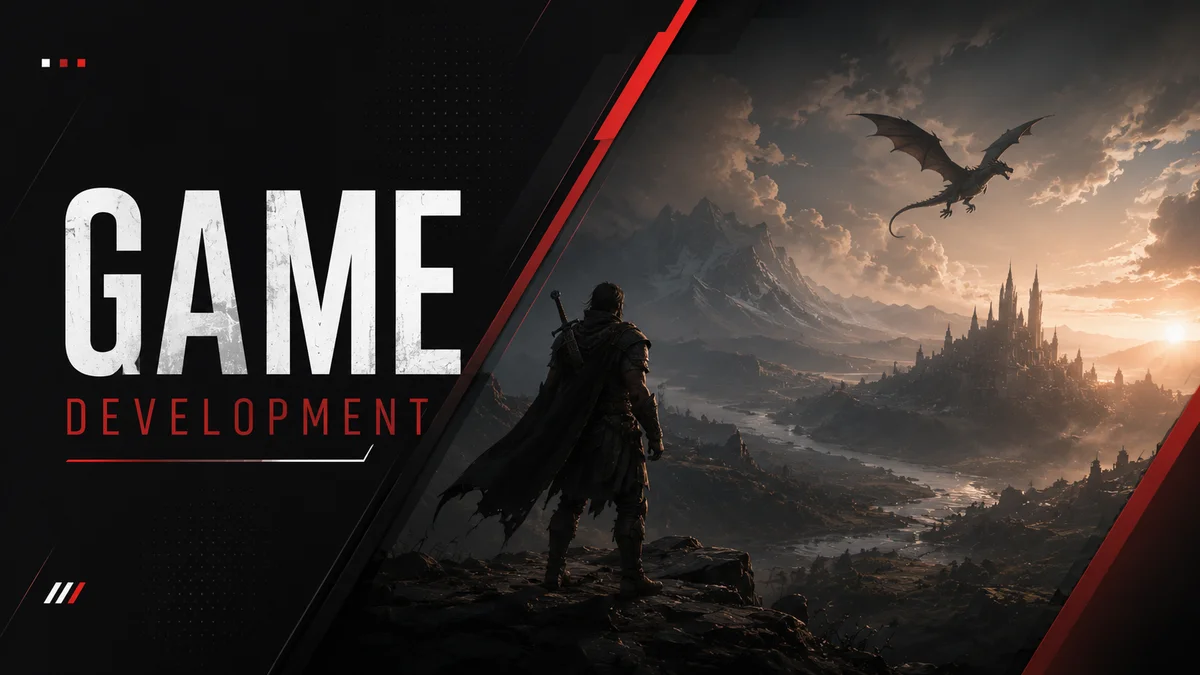
A game developer building an open-world RPG needs thousands of assets, trees, rocks, buildings, weapons, armor sets, NPCs, vehicles. Building all of these from scratch is impossible on a small team. They use a 3D asset subscription to access a library of ready-made assets, import them directly into Unreal Engine via a bridge plugin, and focus their custom modeling effort on the hero assets that define the game's unique visual identity.
Architectural Visualization
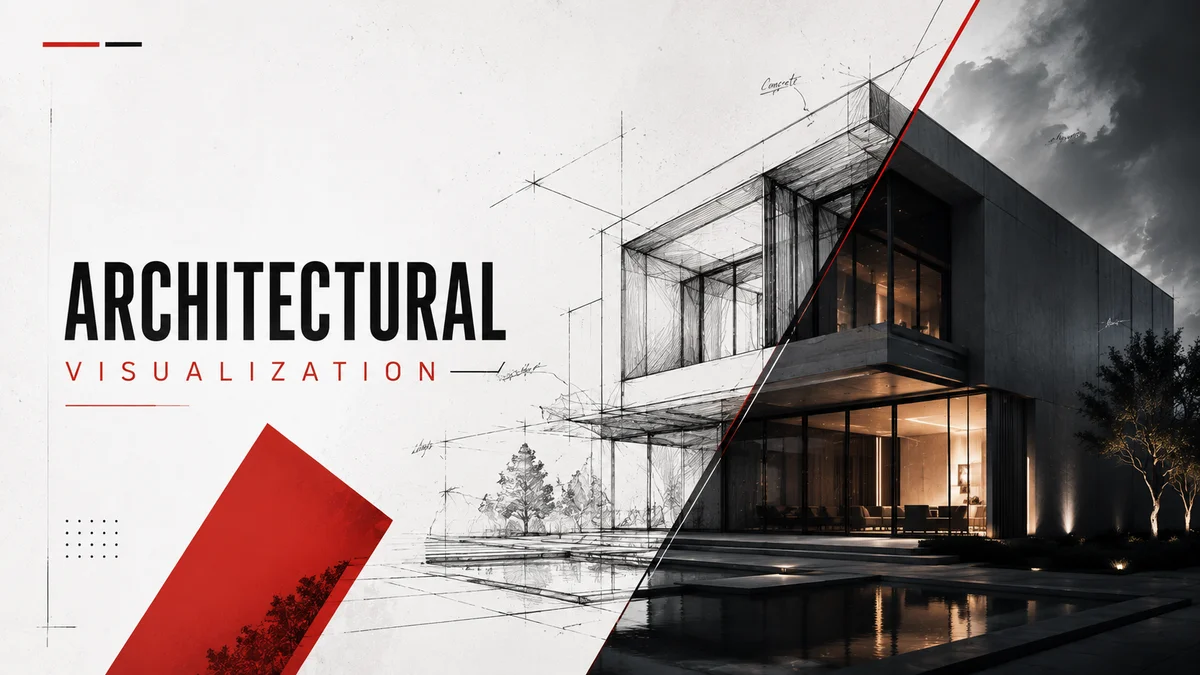
An archviz studio needs to render a luxury apartment interior. The space needs furniture, lighting fixtures, plants, decorative objects, and textiles. Rather than modeling every piece of furniture from scratch, the team sources high-quality, photorealistic 3D assets from a marketplace, drops them into their 3DS Max or Cinema4D scene, and spends their time on lighting, composition, and camera work, the things that actually differentiate their studio.
Motion Design
A motion designer is producing a product launch video for a smartphone brand. They need a photorealistic 3D model of the phone, abstract geometric shapes for the background, and various surface materials for animated sequences. They source the phone model and geometry assets from a subscription platform, import them into Cinema4D, and build the animation entirely in their own software without ever leaving the application.
Getting Started with 3D Assets
If you are new to using 3D assets, here is the most practical advice:
Start with your software first. Choose the DCC tool you are working in and make sure you understand how to import and apply materials before sourcing assets.
Learn the basics of file formats. Knowing when to use FBX vs GLTF vs OBJ will save you hours of troubleshooting.
Check polygon count for your use case. A film-quality asset with 10 million polygons will destroy the performance of a real-time game. Always match the asset's poly count to your target platform.
Test before committing. Use free assets to practice importing and setting up materials before investing in premium libraries.
Use native integration whenever possible. Manually downloading, converting, and importing assets is one of the biggest time sinks in any 3D workflow. Bridge plugins that let you import directly from inside your DCC tool are a genuine productivity multiplier.
Final Thoughts
3D assets are the building blocks of virtually every visual experience in the modern world, from the games you play to the product images you shop from. Understanding what they are, how they are made, and how to source and use them effectively is a foundational skill for any artist or developer working in 3D.
Whether you are a solo Blender artist, an indie game developer, a VFX professional, or an architectural visualization studio, building a reliable asset workflow is one of the highest-leverage investments you can make in your creative productivity.
At Korvix3D, we built an entire platform around that idea, a subscription library of premium 3D assets with native bridge plugins for Blender, Maya, Houdini, Cinema4D, and 3DS Max, so you can stop wrestling with file formats and import workflows and focus entirely on creating.
[Explore the Korvix3D asset library →] https://www.korvix3d.com/assets
[See which 3D software we support →] https://www.korvix3d.com/download
Frequently Asked Questions
What is the difference between a 3D model and a 3D asset? A 3D model is the raw geometry, the mesh itself. A 3D asset is the complete, ready-to-use package that includes the model along with its textures, materials, UV maps, and any other data needed to use it inside a project.
Can I use 3D assets in commercial projects? It depends on the license. Most marketplace assets offer a standard commercial license that allows use in games, films, and products. Always check the license terms before using an asset in a commercial project.
What is the best file format for 3D assets? It depends on your use case. FBX is the most broadly compatible format for game engines. GLTF is best for real-time web and AR/VR applications. USD is the emerging standard for film and VFX pipelines.
How do I import a 3D asset into Blender? In Blender, go to File > Import and select the file format of your asset. For FBX files, choose File > Import > FBX. For OBJ files, choose File > Import > Wavefront OBJ. With the Korvix3D Blender Bridge Plugin, you can browse and import assets directly from inside Blender without any manual download step.
Where can I find free 3D assets? Korvix3D offers a free plan with access to a selection of assets at no cost. Other sources include Blender's built-in asset library, Poly Haven (CC0 HDRIs and textures), and Sketchfab's free tier.


If you have ever played a video game, watched an animated film, used an AR filter, or scrolled through a product page on an ecommerce site, you have already experienced 3D assets. They are the invisible backbone of almost every visual medium that exists today.
But if you are just starting out as a 3D artist, a game developer, or someone exploring the world of digital creation, the term "3D asset" can feel vague. What exactly counts as a 3D asset? How are they made? Where do they come from? And how do real professionals use them in their work?
This guide answers all of that, from the ground up.
What Is a 3D Asset?
A 3D asset is any digital object that has been modeled in three-dimensional space and can be used inside a 3D application, game engine, film pipeline, or real time experience.
Think of it as a digital prop. Just like a film set uses physical furniture, cars, trees, and buildings as props, a 3D scene uses 3D assets to fill the world being created.
A 3D asset can be as simple as a coffee cup or as complex as a fully rigged, animated humanoid character. It can be a rock, a spaceship, a building facade, a tree, a piece of furniture, a weapon, a medical device, or even an abstract shape used in a motion graphics render.
What makes something a 3D asset, rather than just a 3D model, is that it is packaged and ready to use. A 3D asset typically includes:
The geometry (the 3D mesh itself)
Textures and materials (the surface appearance)
UV maps (how textures are applied to the surface)
Sometimes rigs, animations, LODs, or metadata
When all of these are properly prepared and packaged together, the result is a 3D asset, something a developer or artist can drop into their project and use immediately.
Why 3D Assets Matter
The global demand for 3D assets has exploded over the last decade, driven by the growth of several industries at once:
Game development - Every game needs hundreds to thousands of assets.
Film and VFX - CGI in movies depends entirely on high-quality 3D assets.
Architectural visualization - Architects and interior designers use 3D assets to create photorealistic renders before a building is ever built.
AR and VR - Immersive experiences require real-time 3D environments filled with assets.
Ecommerce and product visualization - Brands increasingly use 3D product renders instead of physical photoshoots.
Motion design - Designers use 3D assets in animated graphics, explainer videos, and brand content.
Metaverse and virtual worlds - Entire digital cities are built from libraries of 3D assets.
The result is a massive, growing ecosystem, and a huge demand for both creators who can make quality 3D assets, and platforms that make them accessible to the people who need them.
Types of 3D Assets
Not all 3D assets are the same. They differ in purpose, complexity, and how they are used inside a pipeline. Here are the major categories:
1. Static Meshes
Static meshes are non-animated 3D objects. They have geometry, textures, and materials, but they do not move.
Examples: rocks, furniture, buildings, trees, vehicles (when used as set dressing), weapons (when not in use).
Static meshes are the most common type of 3D asset and are used in virtually every 3D application.
2. Rigged Models
A rigged model is a 3D mesh that has a skeleton (armature) built into it. This skeleton allows the model to be posed and animated.
Examples: characters, creatures, mechanical systems with moving parts.
Rigging adds significant complexity and value to a 3D asset. A well-rigged character can save weeks of work for an animator.
3. Animated Assets
Animated assets include pre-built animations baked into the asset. These are common in game development, where assets may need walk cycles, attack animations, or idle loops.
Examples: characters with locomotion sets, animated water surfaces, looping machinery, particle effects.
4. Textures and Materials
Textures and materials are technically a subcategory of asset, but they are important enough to call out separately. These include:
Albedo/Diffuse maps - The base color of a surface.
Normal maps - Simulate fine surface detail without adding geometry.
Roughness/Metallic maps - Define how a surface interacts with light.
Ambient Occlusion maps - Simulate soft shadows in crevices.
Height/Displacement maps - Add actual geometric depth to surfaces.
Most modern 3D assets use PBR (Physically Based Rendering) textures, which means they are designed to behave realistically under any lighting condition.
5. HDRIs and Environment Assets
HDRI (High Dynamic Range Image) assets are panoramic images used to light 3D scenes realistically. Environment assets also include terrain, skyboxes, atmospheric effects, and background plates.
6. VFX and Particle Assets
These include pre-built visual effects such as fire, smoke, explosions, water simulations, and magic effects. They are heavily used in game development and film VFX pipelines.
7. Kitbash Sets
Kitbash sets are collections of modular 3D pieces designed to be mixed, matched, and combined into larger structures. A sci-fi kitbash set, for example, might include dozens of panels, vents, pipes, and greebles that artists can assemble into spaceships, buildings, or robots.
Kitbash sets are popular in concept art, film, and game pre-production.
Common 3D Asset File Formats
One of the first questions beginners run into is: why are there so many different file formats? The short answer is that different applications, game engines, and pipelines have different requirements.
Here is a quick overview of the most important formats:
Format
Full Name
Best Used For
FBX
Filmbox
Game engines, interoperability
OBJ
Wavefront Object
Simple models, wide compatibility
GLTF
GL Transmission Format
Real-time, web, AR/VR
USD
Universal Scene Description
Film/VFX, Pixar standard
BLEND
Blender native format
Blender projects
MA/MB
Maya ASCII / Binary
Autodesk Maya projects
MAX
3DS Max native
Autodesk 3DS Max projects
ABC
Alembic
VFX, simulation caches
STL
Stereolithography
3D printing
FBX is the most widely used format for game development due to its compatibility with Unity and Unreal Engine. GLTF is increasingly becoming the standard for web-based and real-time applications. USD is gaining rapid adoption in the film and VFX industry thanks to its ability to handle complex scene hierarchies.
When sourcing 3D assets, always check which formats are available and whether they match the software or engine you are working in.
How 3D Assets Are Made
3D assets are created using specialized software called DCC tools, Digital Content Creation tools. The major ones include:
Blender - Free, open-source, and the most popular tool among independent artists and students.
Autodesk Maya - Industry standard for film, animation, and character rigging.
Autodesk 3DS Max - Widely used in architectural visualization and game asset production.
Houdini - The leading tool for procedural generation and VFX simulation.
Cinema4D - Popular in motion design and broadcast graphics.
ZBrush - Used for high-resolution sculpting, particularly for characters and organic forms.
A typical 3D asset creation workflow involves several stages:
Concept and Reference - Understanding what needs to be built.
High-Poly Modeling - Sculpting or modeling a highly detailed version.
Retopology - Creating a clean, optimized low-poly mesh from the high-poly version.
UV Unwrapping - Unfolding the 3D surface so textures can be applied.
Texturing - Painting or generating PBR texture maps.
Rigging (if needed) - Adding a skeleton for deformation and animation.
Export - Exporting to the required formats with proper naming and organization.
This process can take anywhere from a few hours for a simple asset to several weeks for a complex character. Which is exactly why ready-made 3D assets are so valuable, they represent hundreds of hours of skilled work, available to use immediately.
Where Do Professionals Source 3D Assets?
Very few studios or artists build every single asset from scratch. Time is expensive, and deadlines are real. Professional pipelines almost always combine custom-built hero assets with pre-made assets for background elements, environments, and supporting objects.
There are three main ways professionals source 3D assets:
1. Build In-House
Large studios often have dedicated asset teams that build a proprietary library over time. This is the highest quality option but also the most expensive in terms of time and labour.
2. Buy Per Asset
Traditional 3D asset marketplaces like CGTrader, TurboSquid, and Sketchfab allow you to purchase individual assets outright. This works well when you need a very specific asset occasionally, but the costs add up quickly for teams with high-volume needs.
3. Use a Subscription Marketplace
Subscription-based platforms like Korvix3D give you access to a full library of premium 3D assets for a flat monthly fee. For artists and studios that need assets regularly, this is dramatically more cost-effective than buying per asset.
Beyond the cost advantage, subscription platforms with native software integration eliminate the most painful part of using 3D assets: the import process. Instead of downloading files manually, converting formats, and dragging assets into your scene, a bridge plugin lets you browse and import assets directly from inside Blender, Maya, Houdini, Cinema4D, or 3DS Max with a single click.
What Makes a High-Quality 3D Asset?
Not all 3D assets are created equal. When evaluating an asset, whether building it yourself or sourcing it, here is what separates a professional asset from a poor one:
Geometry
Clean, efficient topology with no unnecessary polygons
Proper edge flow, especially for organic/deforming meshes
Optimized polygon count for its intended use case (games vs. film vs. print)
Textures
PBR-correct texture maps at sufficient resolution (2K minimum, 4K preferred)
Textures properly UV-unwrapped with minimal stretching or distortion
All required map types included (albedo, normal, roughness, AO at minimum)
File Organization
Properly named meshes, materials, and texture files
Logical folder structure
Clean pivots and scale (real-world scale preferred)
Format Compatibility
Available in multiple formats (FBX, OBJ, GLTF at minimum)
No broken references or missing textures on import
Documentation
Clear description of polygon count, dimensions, and intended use
Preview renders showing the asset under different lighting conditions
3D Assets in Real-World Workflows
To make this concrete, here is how 3D assets show up in three common professional workflows:
Game Development
A game developer building an open-world RPG needs thousands of assets, trees, rocks, buildings, weapons, armor sets, NPCs, vehicles. Building all of these from scratch is impossible on a small team. They use a 3D asset subscription to access a library of ready-made assets, import them directly into Unreal Engine via a bridge plugin, and focus their custom modeling effort on the hero assets that define the game's unique visual identity.
Architectural Visualization
An archviz studio needs to render a luxury apartment interior. The space needs furniture, lighting fixtures, plants, decorative objects, and textiles. Rather than modeling every piece of furniture from scratch, the team sources high-quality, photorealistic 3D assets from a marketplace, drops them into their 3DS Max or Cinema4D scene, and spends their time on lighting, composition, and camera work, the things that actually differentiate their studio.
Motion Design
A motion designer is producing a product launch video for a smartphone brand. They need a photorealistic 3D model of the phone, abstract geometric shapes for the background, and various surface materials for animated sequences. They source the phone model and geometry assets from a subscription platform, import them into Cinema4D, and build the animation entirely in their own software without ever leaving the application.
Getting Started with 3D Assets
If you are new to using 3D assets, here is the most practical advice:
Start with your software first. Choose the DCC tool you are working in and make sure you understand how to import and apply materials before sourcing assets.
Learn the basics of file formats. Knowing when to use FBX vs GLTF vs OBJ will save you hours of troubleshooting.
Check polygon count for your use case. A film-quality asset with 10 million polygons will destroy the performance of a real-time game. Always match the asset's poly count to your target platform.
Test before committing. Use free assets to practice importing and setting up materials before investing in premium libraries.
Use native integration whenever possible. Manually downloading, converting, and importing assets is one of the biggest time sinks in any 3D workflow. Bridge plugins that let you import directly from inside your DCC tool are a genuine productivity multiplier.
Final Thoughts
3D assets are the building blocks of virtually every visual experience in the modern world, from the games you play to the product images you shop from. Understanding what they are, how they are made, and how to source and use them effectively is a foundational skill for any artist or developer working in 3D.
Whether you are a solo Blender artist, an indie game developer, a VFX professional, or an architectural visualization studio, building a reliable asset workflow is one of the highest-leverage investments you can make in your creative productivity.
At Korvix3D, we built an entire platform around that idea, a subscription library of premium 3D assets with native bridge plugins for Blender, Maya, Houdini, Cinema4D, and 3DS Max, so you can stop wrestling with file formats and import workflows and focus entirely on creating.
[Explore the Korvix3D asset library →] https://www.korvix3d.com/assets
[See which 3D software we support →] https://www.korvix3d.com/download
Frequently Asked Questions
What is the difference between a 3D model and a 3D asset? A 3D model is the raw geometry, the mesh itself. A 3D asset is the complete, ready-to-use package that includes the model along with its textures, materials, UV maps, and any other data needed to use it inside a project.
Can I use 3D assets in commercial projects? It depends on the license. Most marketplace assets offer a standard commercial license that allows use in games, films, and products. Always check the license terms before using an asset in a commercial project.
What is the best file format for 3D assets? It depends on your use case. FBX is the most broadly compatible format for game engines. GLTF is best for real-time web and AR/VR applications. USD is the emerging standard for film and VFX pipelines.
How do I import a 3D asset into Blender? In Blender, go to File > Import and select the file format of your asset. For FBX files, choose File > Import > FBX. For OBJ files, choose File > Import > Wavefront OBJ. With the Korvix3D Blender Bridge Plugin, you can browse and import assets directly from inside Blender without any manual download step.
Where can I find free 3D assets? Korvix3D offers a free plan with access to a selection of assets at no cost. Other sources include Blender's built-in asset library, Poly Haven (CC0 HDRIs and textures), and Sketchfab's free tier.